Cross AWS Account S3 Replication
Common Use Cases
Disaster Recovery (DR)
Data backup to a security account
Regulatory compliance
Environment isolation (Prod → Backup account)
🔹 Basic Requirements
Source AWS Account (Account-A)
Destination AWS Account (Account-B)
Both buckets must have Versioning ENABLED
Proper IAM Role + Bucket Policy
Architecture Overview
Account-A: Source AWS Account
Source S3 bucket
IAM role for replication
Account-B: Destination AWS Account
- Destination S3 bucket
Replication is unidirectional (source → destination).
Step 1: Create and Configure S3 Buckets
Source Bucket (Account-A)
Bucket name:
source-bucket-123Versioning: Enabled
Destination Bucket (Account-B)
Bucket name:
destination-bucket-456Versioning: Enabled
⚠️ Replication does not work if versioning is disabled or suspended.
Step 2: Destination Bucket Policy (Account-B)
The destination bucket must explicitly allow the source account to replicate objects.
Destination Bucket Policy
{
    "Version": "2012-10-17",
    "Statement": [
        {
            "Sid": "AllowReplicationFromSourceAccount",
            "Effect": "Allow",
            "Principal": {
                "AWS": "arn:aws:iam::SOURCE-ACCOUNT-ID:root"
            },
            "Action": [
                "s3:ReplicateObject",
                "s3:ReplicateDelete",
                "s3:ReplicateTags"
            ],
            "Resource": "arn:aws:s3:::source-bkts/*"
        }
    ]
}
Key Points
Principalmust be the source account rootResource must include
/*
Step 3: Create IAM Role for Replication (Account-A)
Create an IAM role that S3 can assume to perform replication.
Role Name : s3-cross-account-replication-role
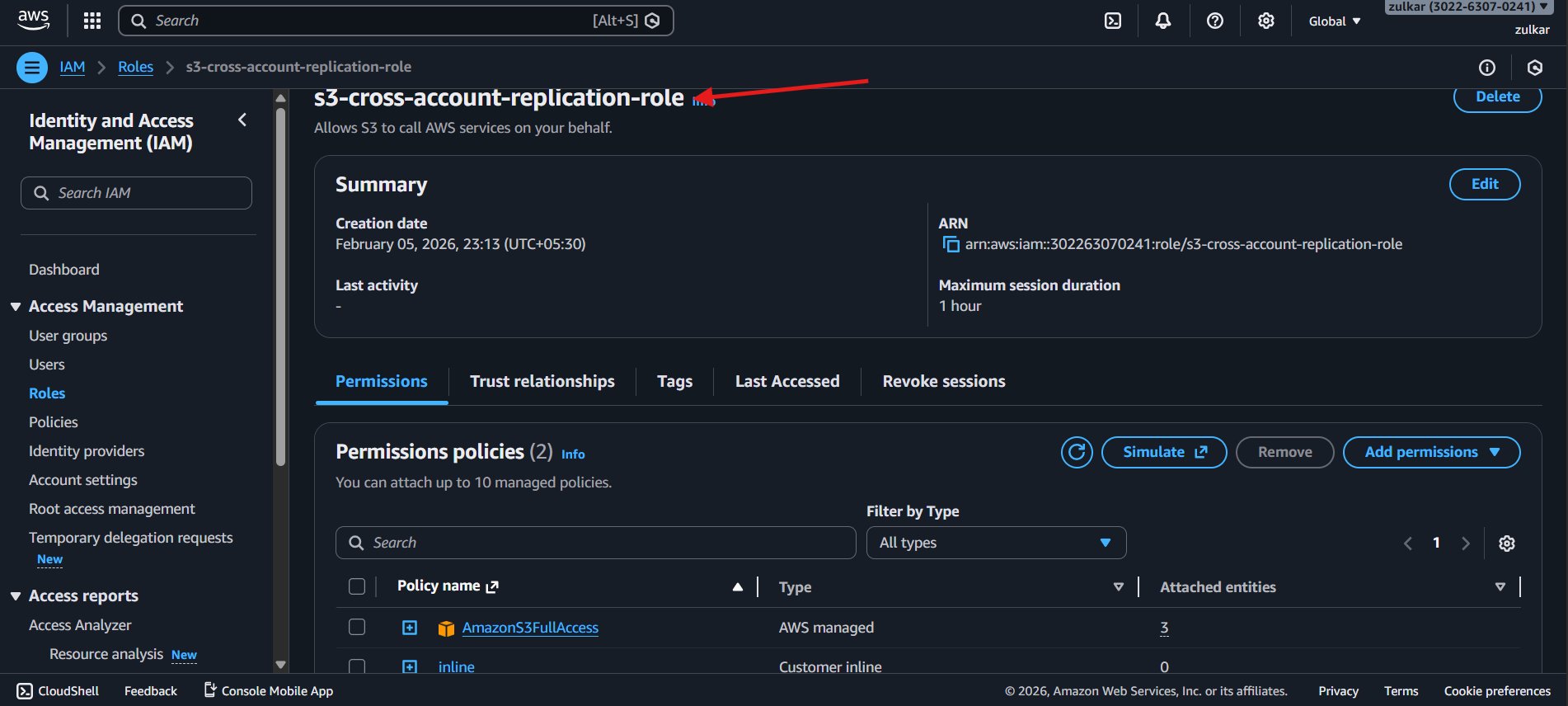
Step 4: Attach IAM Role Permission Policy (Account-A)
This is an identity-based policy, so it must NOT include a Principal.
IAM Role Permission Policy
{
  "Version": "2012-10-17",
  "Statement": [
    {
      "Effect": "Allow",
      "Action": [
        "s3:GetReplicationConfiguration",
        "s3:ListBucket"
      ],
      "Resource": "arn:aws:s3:::source-bucket-123"
    },
    {
      "Effect": "Allow",
      "Action": [
        "s3:GetObjectVersion",
        "s3:GetObjectVersionAcl",
        "s3:GetObjectVersionTagging"
      ],
      "Resource": "arn:aws:s3:::source-bucket-123/*"
    },
    {
      "Effect": "Allow",
      "Action": [
        "s3:ReplicateObject",
        "s3:ReplicateDelete",
        "s3:ReplicateTags"
      ],
      "Resource": "arn:aws:s3:::destination-bucket-456/*"
    }
  ]
}
Important Rule
IAM permission policies → No Principal
Bucket / trust policies → Principal required
Step 5: Configure Replication Rule (Account-A)
Now enable replication from the source bucket.
Steps
Go to S3 → source-bucket-123
Open Management → Replication rules
Click Create replication rule
Configuration
Rule name:
cross-account-replicationStatus: Enabled
Scope: Apply to all objects in the bucket
Destination:
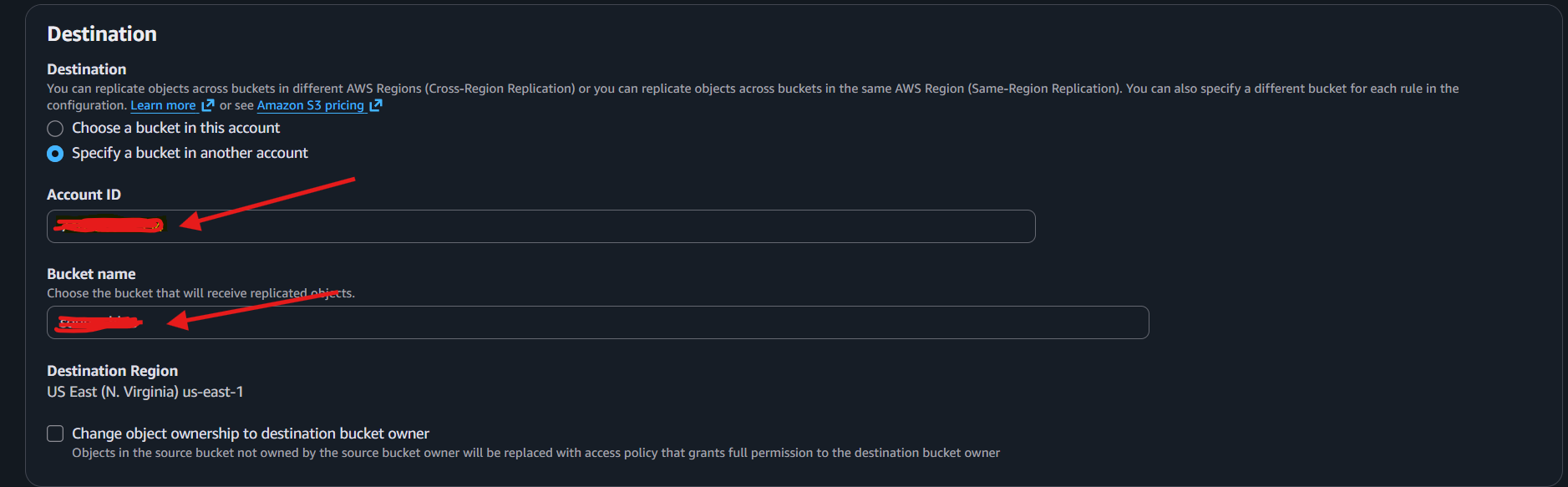
Destination Account ID: Account-B ID
Destination Bucket Name
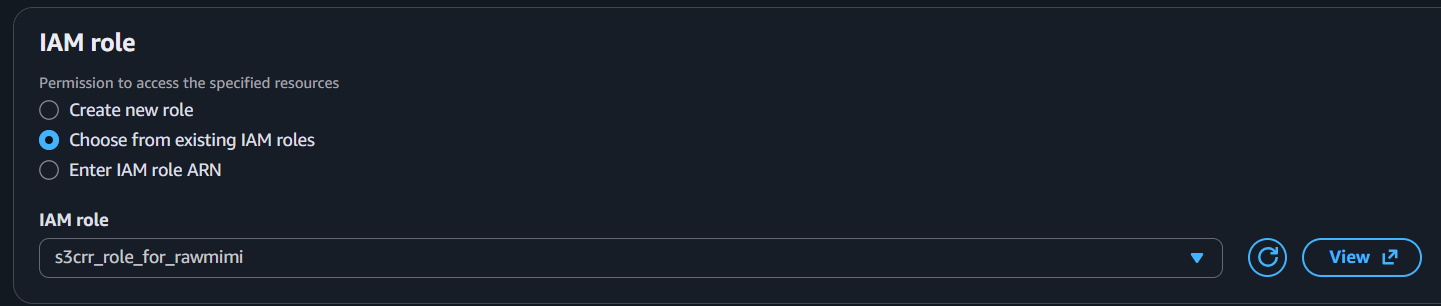
- IAM role:
s3-cross-account-replication-role
Save the rule.
Step 6: Testing Replication
Upload a new object to the source bucket
Wait a few seconds
Check the destination bucket
The object should appear automatically.
ℹ️ Existing objects are NOT replicated automatically.
Comments
Join the discussionNo comments yet. Be the first to comment.